


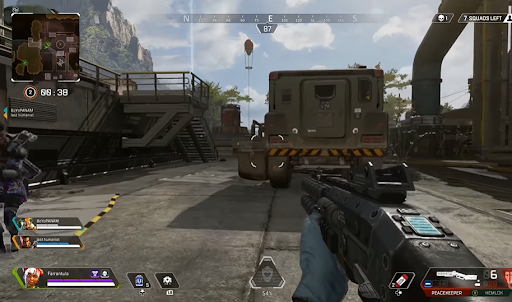
If you love those action-filled and challenging battle Royale games, then Apex Legends will excite you. It comes with all the perks, weapons, and extraordinary characters with impressive abilities, skills, and unique gadgets. So, once you choose one of the legends that match your personality or game style, you can land confidently on the battleground. Another thing you’ll love is that it isn’t just for the console gamers only. You can even play Apex legends on your PC with the gaming keyboard and mouse you love so much. So, in this article, we will provide the details of playing Apex Legends on your PC. But before that, visit sidegamer.com for more tools to simplify the game too.
So, let’s discuss!
Guide on how to play Apex Legends on your PC
-
Check the system requirement for the game.
To play Apex Legend on your PC, you must check if the device’s specs are suitable for the game. Thankfully, you can run the game on Windows 7, even though it’s the older version. Other minimum requirements to start playing the game include a 64-bit Windows 7 and a RAM size of 6GB at least. In addition, your PC Hard Drive free space should be at least 22GB, and the GPU should be NVIDIA GeForce GT 640 or Radeon HD 7730. Then for the Central Processing Unit (CPU), an Intel Core i3-6300 running at 3.8GHz or more or “AMD FX-4350 4.2 running at GHz Quad-Core” should also be okay. Finally, for the “Dedicated video RAM,” 1GB is also okay.
But if you want to enjoy an optimal experience and enjoy the bliss of gameplay at 60FPS for clearer visuals, you need to use an upgraded PC. This level of specification will ensure that your game will be smoother, and even the picture quality and resolution will be satisfying.
So, the specs to look out for in such a device will be 8 GB RAM, 64-bit Window 7, and Video RAM at 8GB. Also, the CPU and GPU should be Intel i5 3570k, and the GPU should be NVIDIA GeForce GTX 970 or AMD Radeon (R9 290)
-
Download Origin Client
Before playing Apex Legends, you need to get the EA’s Origin into your PC by downloading it. So to do that,
- Visit Origin’s official website.
- Download Origin and open the installer on your PC. Then, complete the pop-up instructions to start the application running.
- Sign Up if this is your first time and get an EA account. But if you already have an account, log in with your EA details.
- Check the left side of your screen for “Browse Games.”
- Locate Apex Legends and Click on it.
- Afterward, select the “Add to Library” option
- Click on “Download with Origin”
- Choose the language you want to use
- Agree to the terms and conditions and choose the preferred location for the game on your PC
- Launch the game through “My game Library” in Origin
-
Play Apex Legends on PC via Steam
Before now, gamers wanted to play Apex Legends on Steam but couldn’t until the feature became available. So, now, you can play the game on Steam. But check the processes on how to do it below.
- Delete the Apex Legend version you downloaded on Origin
- Download & Install Apex Legend in Steam
- Link your Origin and Steam account ( one account is what you can link)
To link your account, open your Steam account, launch any EA game from the site, then install the EA Desktop app and link the two accounts. When the accounts are linked, you can play Apex Legends on Steam for the best experience.
-
Tweak Your PC Settings for Apex Legends
If you want to enjoy this game better on PC, there are some settings you should touch on your PC. These settings will boost your FPS and ensure a competitive advantage over your enemies. Check them listed below to help you.
- Set the Display Mode to “Full Screen”
- Set the Aspect Ratio to the monitor resolution, which might be “16:9, 1080p.”
- The resolution should be the same as the Native Monitor.
- You can set the “Field of View ” to Max or lower depending on preference
- Disable the “V-Sync”
- Switch off the Anti-Aliasing
- Lower the Texture Resolution
- Set the “Adaptive Resolution FPS Target” to 0
- Color Blind mode should be as you want
- Keep the Texture Filtering at Anisotropic 2X because it can lower your FPS
- Disable the Volumetric Lighting
- Disable the “Dynamic Spot Shadows”
- Set the Sun Shadow and Spot Shadow details to “Low.”
- Remove the “FPS Cap”
Conclusion
Apex Legends is worth your efforts to improve your PC specs for a smoother experience. You will perform more than expected when you fight these battles on a larger screen with a gaming keyboard and mouse. So, start by checking if your PC meets the requirements. If it doesn’t, you can still upgrade it a little. Then download and play through Origin or Steam as you want.